> ## Documentation Index
> Fetch the complete documentation index at: https://docs-model.skyengine.com.cn/llms.txt
> Use this file to discover all available pages before exploring further.

# 在CherryStudio中使用

[Cherry Studio AI 下载地址](https://www.cherry-ai.com/)

#### 一、模型配置

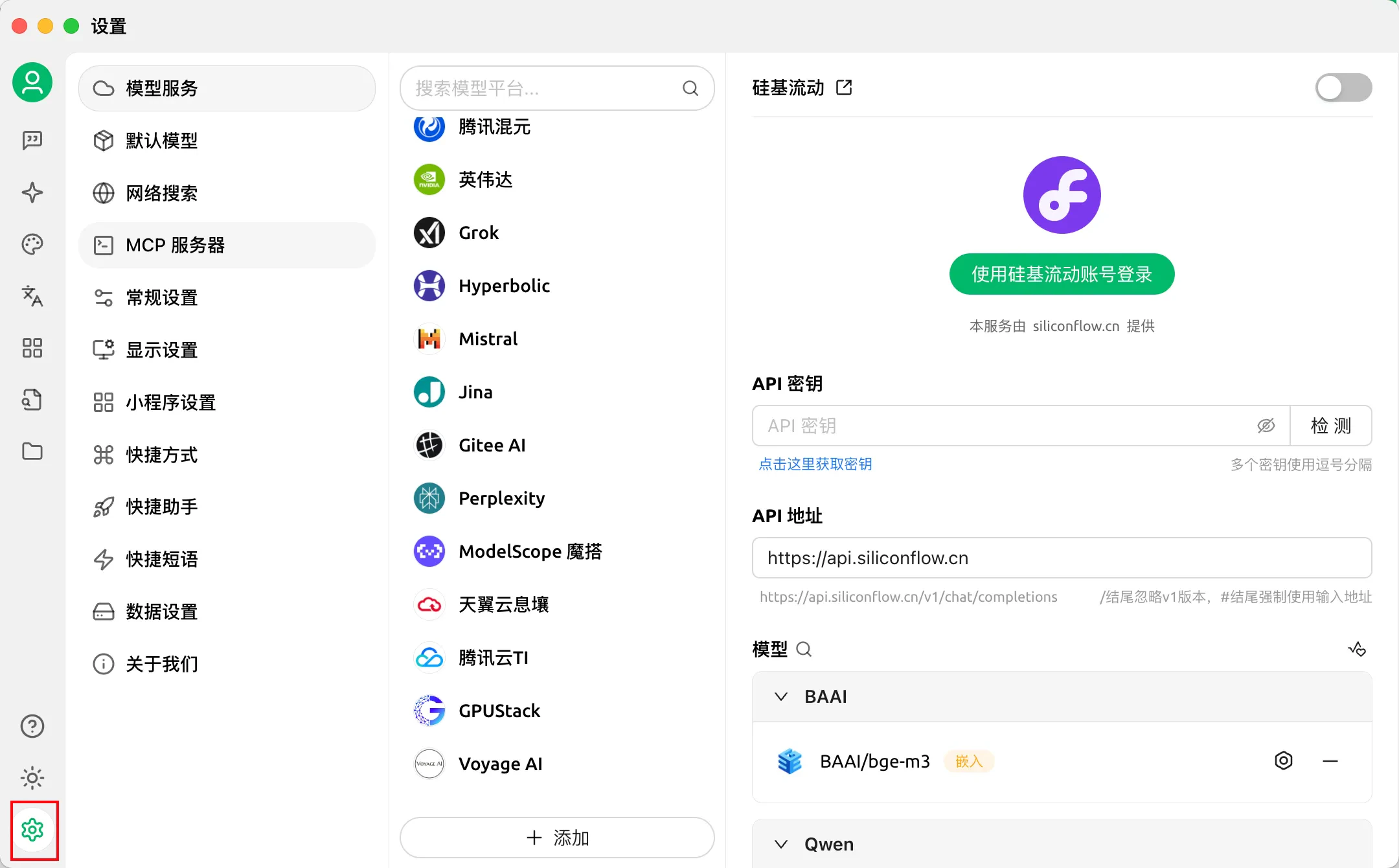
第1步：点击应用左下角的设置按钮

<img src="https://mintcdn.com/quwan/ekwgqC9DZ2_bLvEw/images/cherrystudio/cherrystudio-1.png?fit=max&auto=format&n=ekwgqC9DZ2_bLvEw&q=85&s=0969d8954ee2d5d6b6d623fe2d0cfa3c" alt="cherrystudio-1" width="2160" height="1340" data-path="images/cherrystudio/cherrystudio-1.png" />

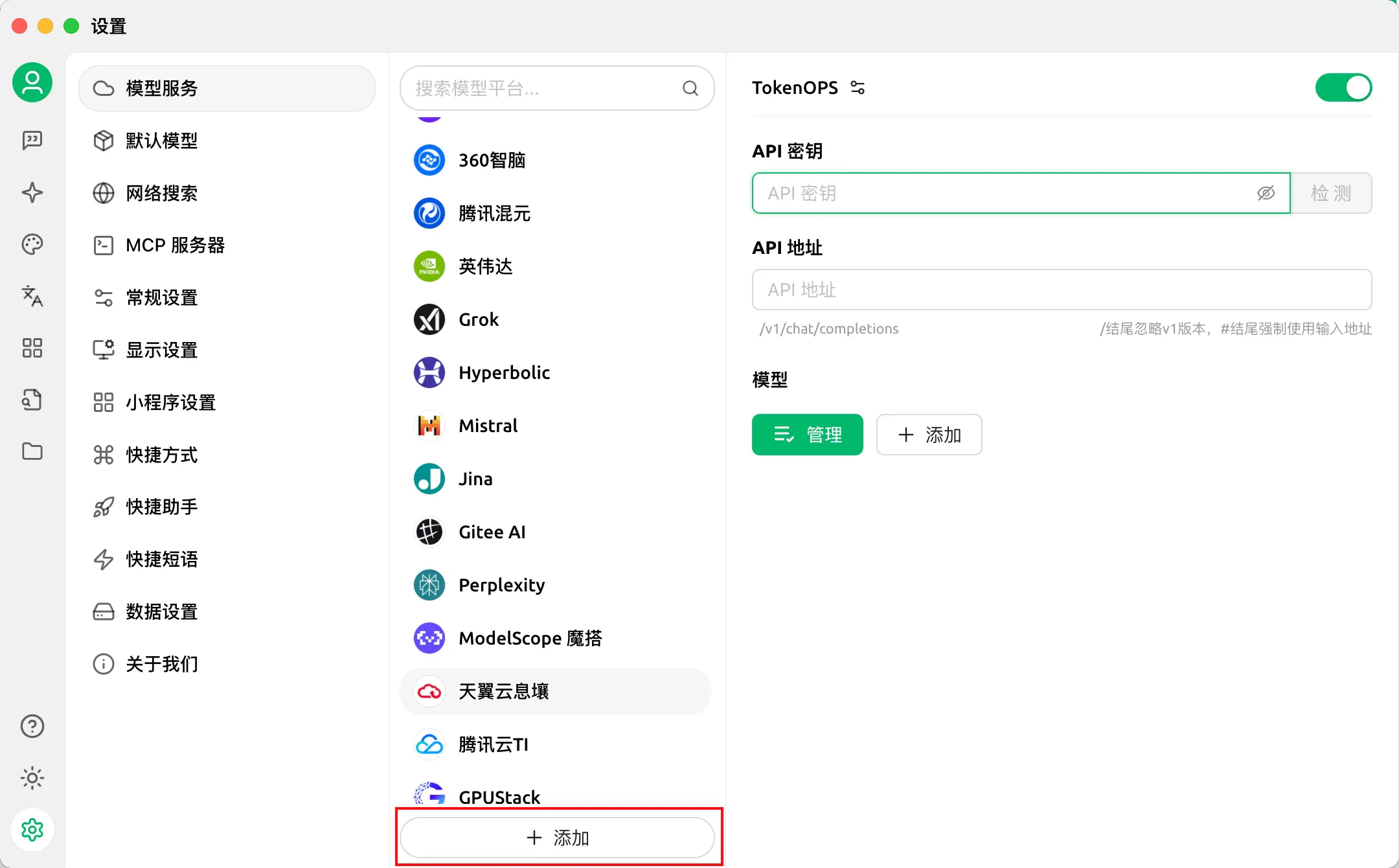
第2步：点击中间添加按钮，添加模型提供商

<img src="https://mintcdn.com/quwan/ekwgqC9DZ2_bLvEw/images/cherrystudio/cherrystudio-2.png?fit=max&auto=format&n=ekwgqC9DZ2_bLvEw&q=85&s=38b9e72f1cafa78cdb258fca2ac34b28" alt="cherrystudio-2" width="2160" height="1340" data-path="images/cherrystudio/cherrystudio-2.png" />

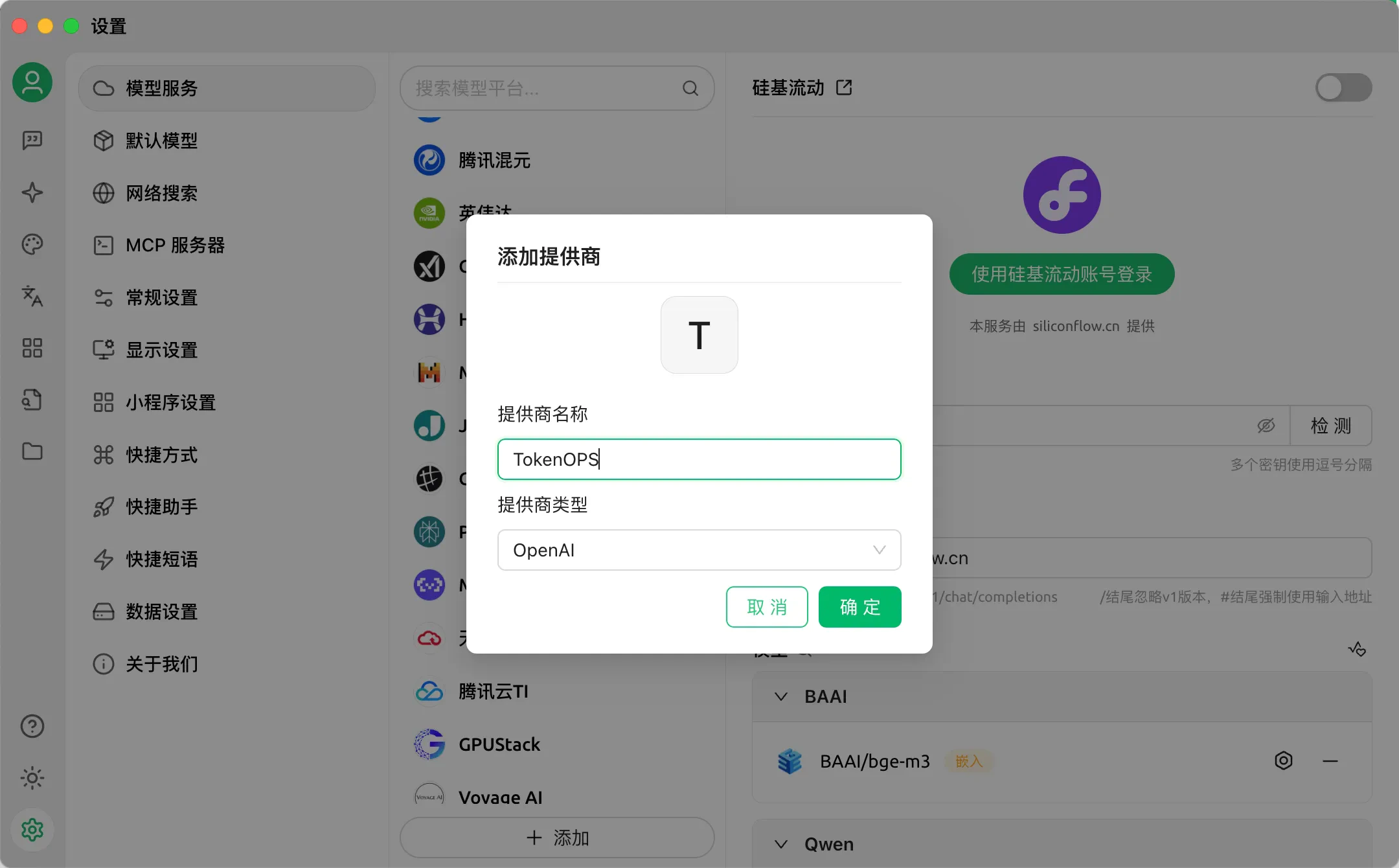
提供商信息配置如下：

* 提供商名称：TokenOPS
* 提供商类型：OpenAI
  <img src="https://mintcdn.com/quwan/ekwgqC9DZ2_bLvEw/images/cherrystudio/cherrystudio-3.png?fit=max&auto=format&n=ekwgqC9DZ2_bLvEw&q=85&s=fcf1a7c2486ebecd770303b43eabae73" alt="cherrystudio-3" width="2160" height="1340" data-path="images/cherrystudio/cherrystudio-3.png" />

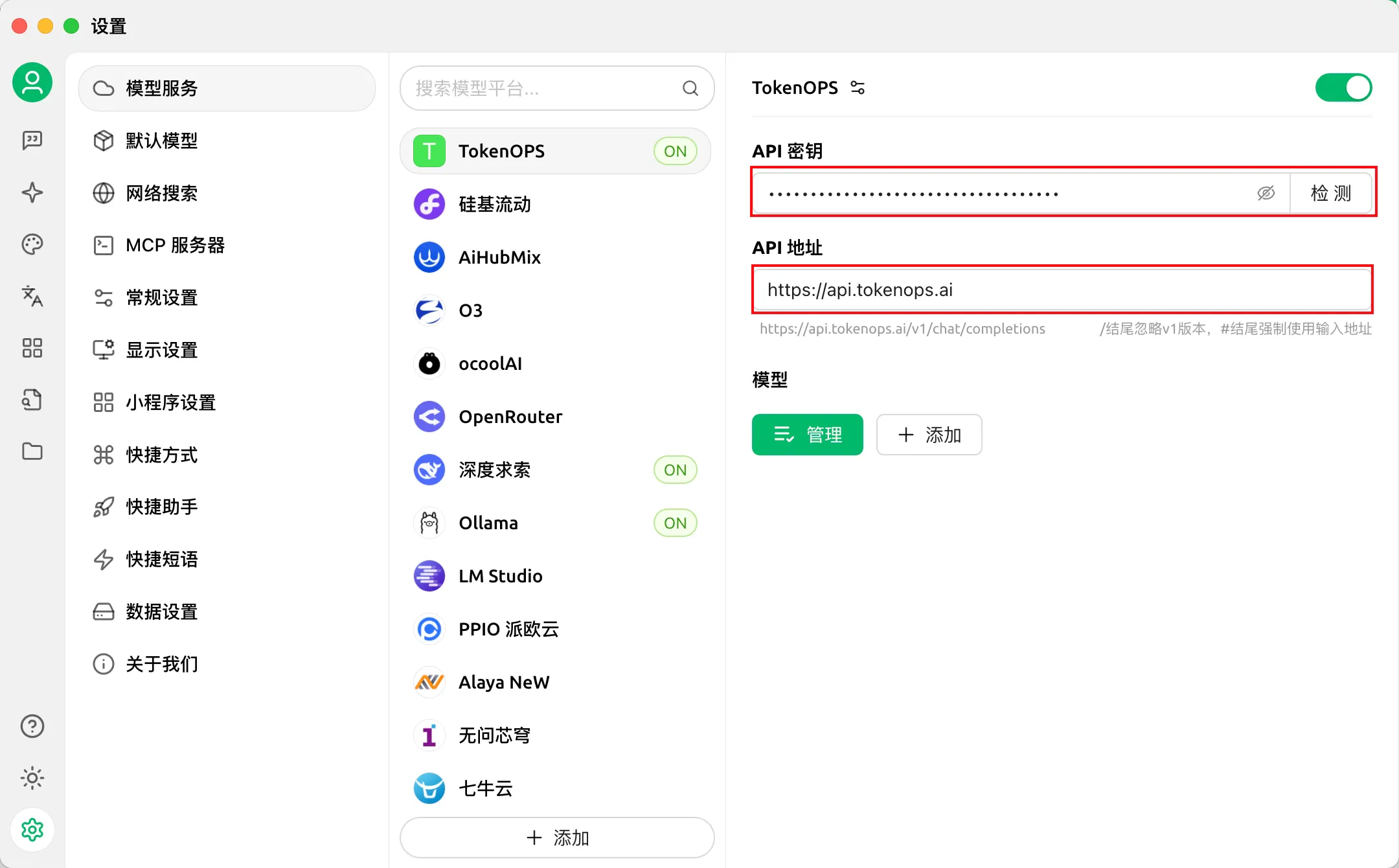
第3步：找到刚刚填加的TokenOPS提供商（默认是开启），进入API密钥配置

* API密钥：填写[本站的API Key](https://model.skyengine.com.cn/keys)
* API地址：`https://model-api.skyengine.com.cn`
  <img src="https://mintcdn.com/quwan/ekwgqC9DZ2_bLvEw/images/cherrystudio/cherrystudio-4.png?fit=max&auto=format&n=ekwgqC9DZ2_bLvEw&q=85&s=9ffda683356301681e6f94d4533aaefc" alt="cherrystudio-4" width="2160" height="1340" data-path="images/cherrystudio/cherrystudio-4.png" />

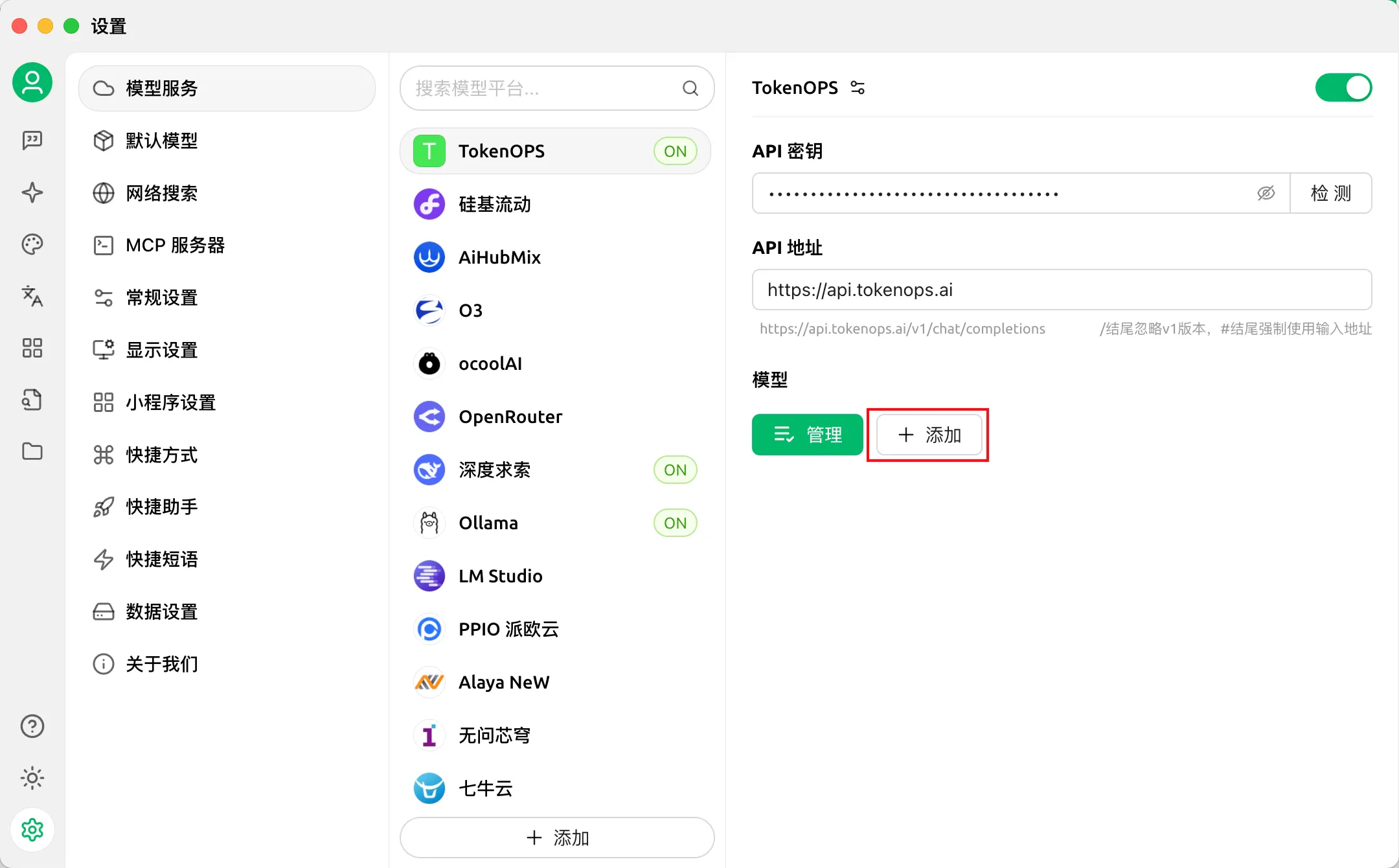
第4步：添加模型

<img src="https://mintcdn.com/quwan/ekwgqC9DZ2_bLvEw/images/cherrystudio/cherrystudio-5.png?fit=max&auto=format&n=ekwgqC9DZ2_bLvEw&q=85&s=5c3bdbfb1fb9a1251fda00bf21b1ef68" alt="cherrystudio-5" width="2160" height="1340" data-path="images/cherrystudio/cherrystudio-5.png" />

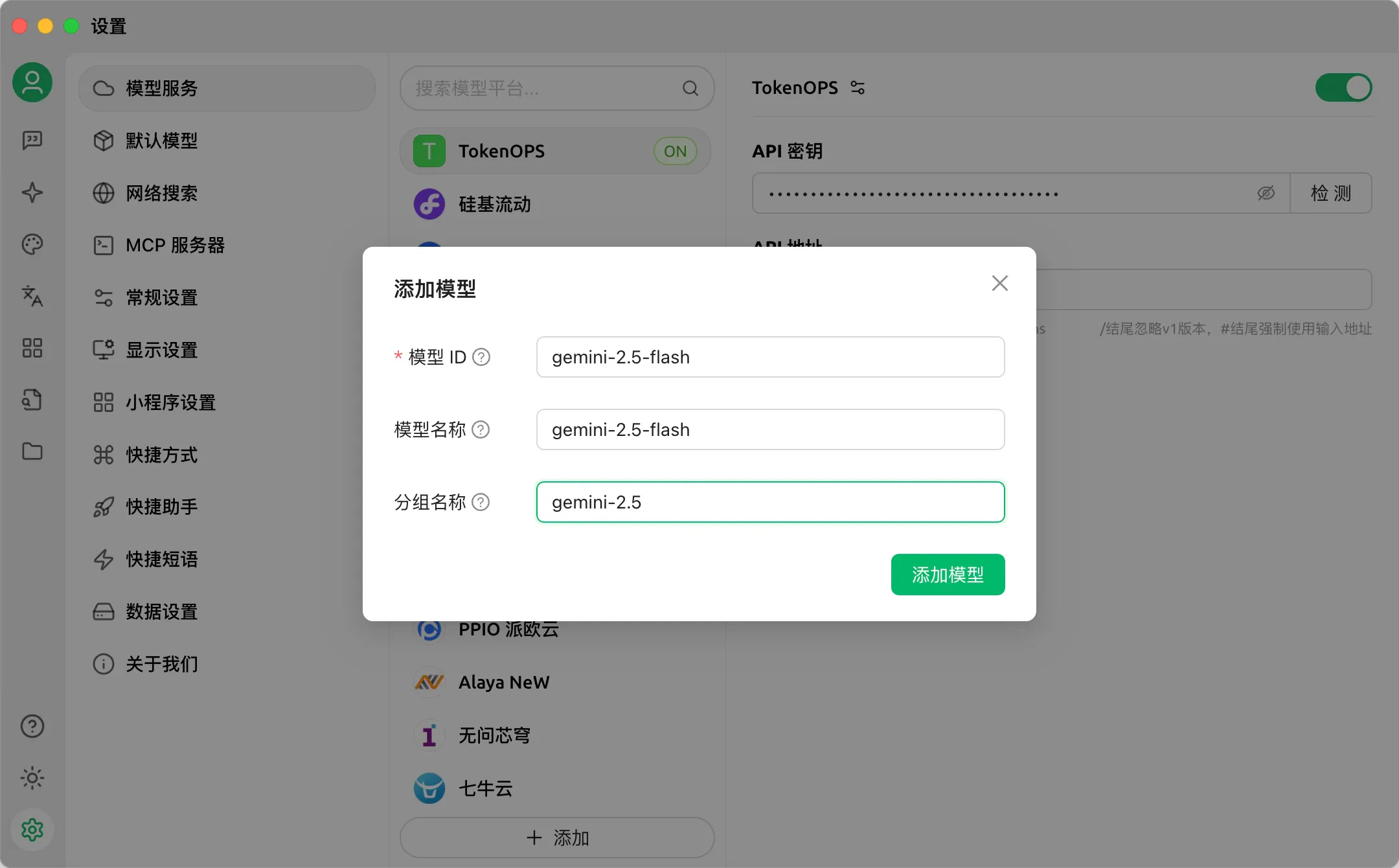
输入模型信息，以gemini-2.5-flash

* 模型ID：从本站[模型广场](https://tokenops.ai/model-square)获取，点击模型卡片的复制按钮
* 模型名称：默认自动填充，可自定义修改
* 分组名称：默认自动填充，可自定义填写
  <img src="https://mintcdn.com/quwan/ekwgqC9DZ2_bLvEw/images/cherrystudio/cherrystudio-6.png?fit=max&auto=format&n=ekwgqC9DZ2_bLvEw&q=85&s=f8a4d96a6a38dd7c12b5bc229d36d748" alt="cherrystudio-6" width="2160" height="1340" data-path="images/cherrystudio/cherrystudio-6.png" />

至此，配置完成。

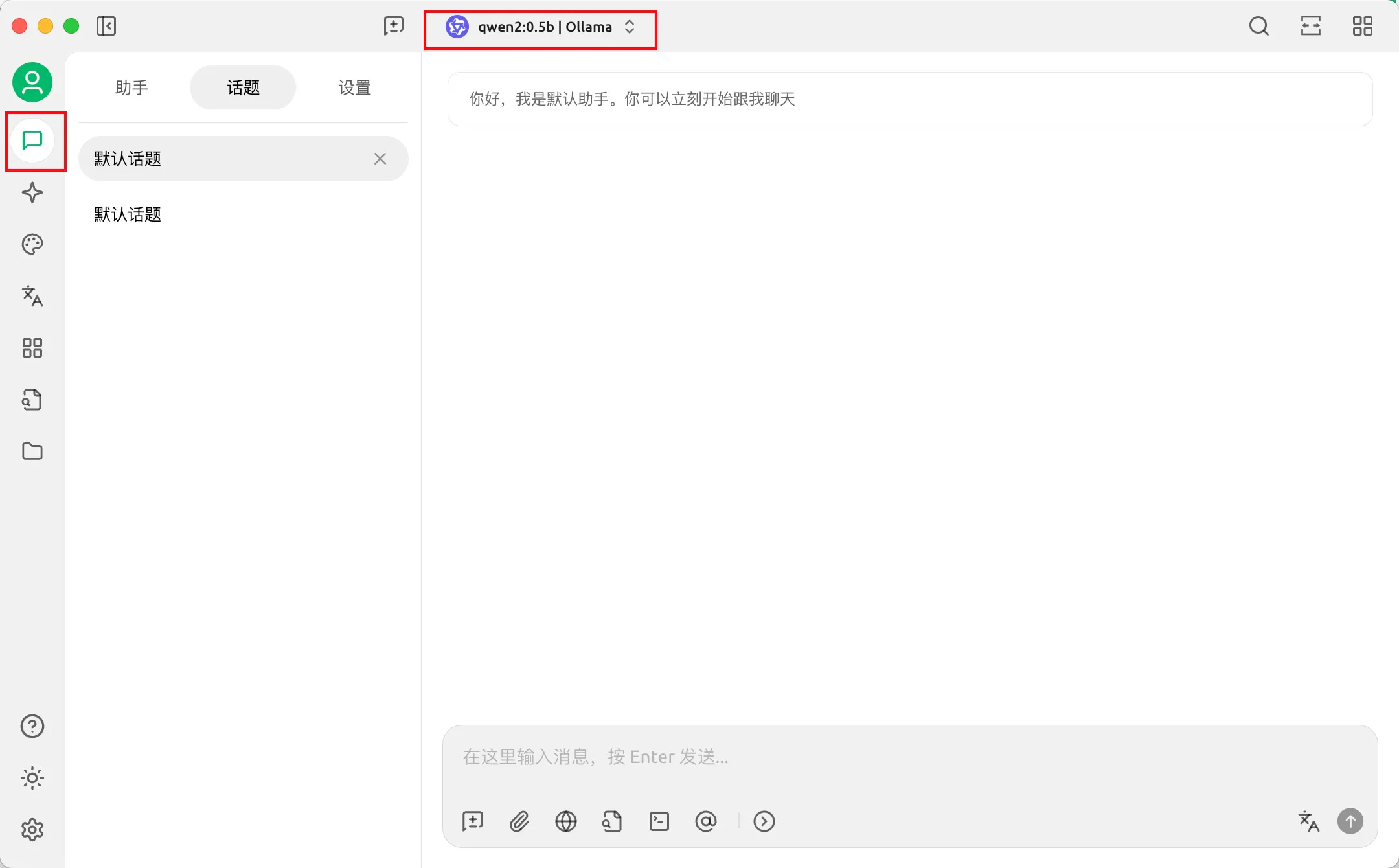
### 二、开始使用

点击助手，下拉选择模型

<img src="https://mintcdn.com/quwan/ekwgqC9DZ2_bLvEw/images/cherrystudio/cherrystudio-7.png?fit=max&auto=format&n=ekwgqC9DZ2_bLvEw&q=85&s=3c84e6de04a859486d0d84ead1df8127" alt="cherrystudio-7" width="2160" height="1340" data-path="images/cherrystudio/cherrystudio-7.png" />

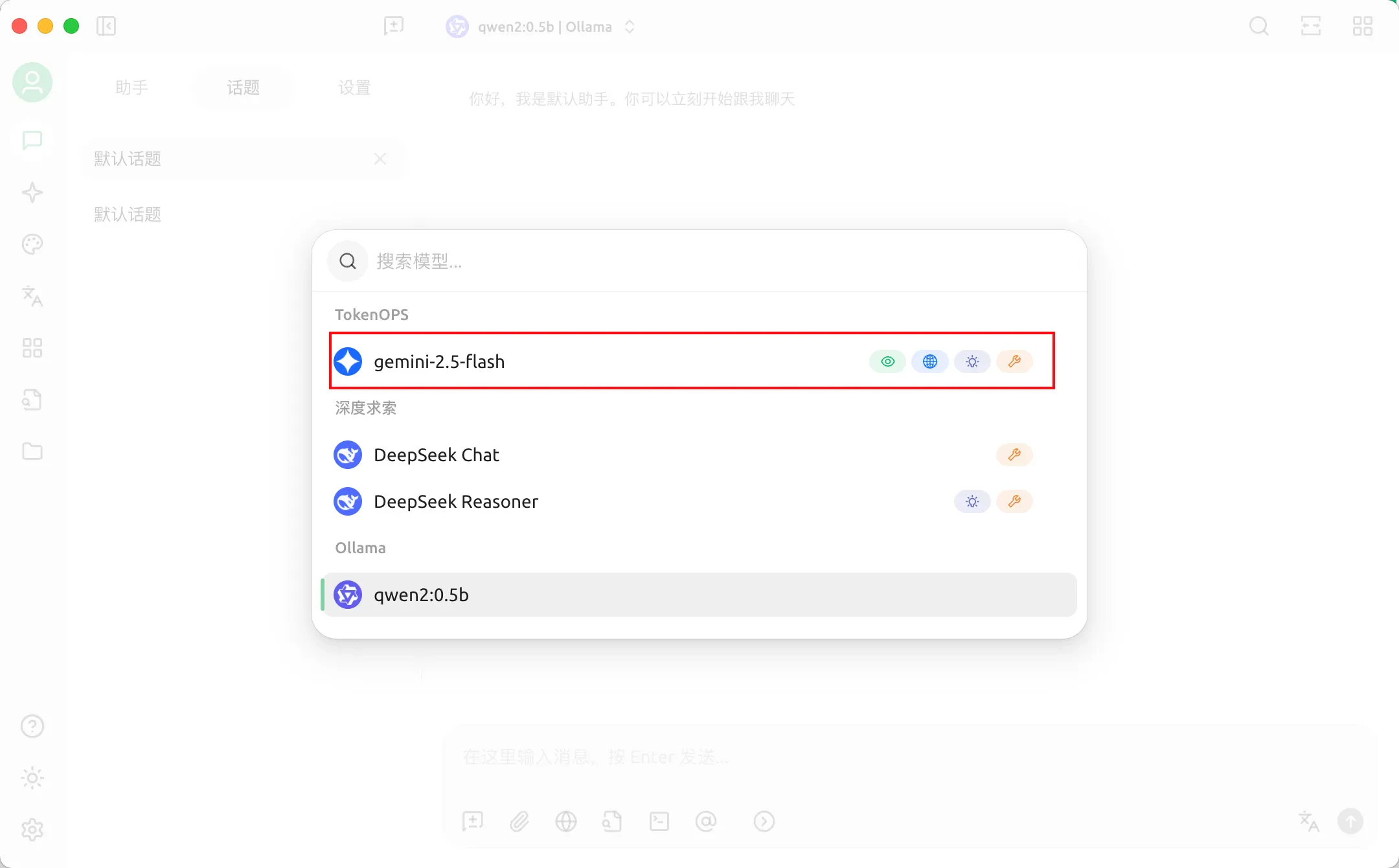
选择刚刚配置的模型gemini-2.5-flash

<img src="https://mintcdn.com/quwan/ekwgqC9DZ2_bLvEw/images/cherrystudio/cherrystudio-8.png?fit=max&auto=format&n=ekwgqC9DZ2_bLvEw&q=85&s=0bcd70683c73da8567445f1937ea665e" alt="cherrystudio-8" width="2160" height="1340" data-path="images/cherrystudio/cherrystudio-8.png" />

输入消息，开始聊天。